
01
Scan the plot
The trade scans the QR code stuck on the plot with the camera on their own phone. There's no app to download and no login.
Stage sign-off and Part L evidence for UK housebuilders. Trades sign off each stage on their own phone, with the photos and test readings it needs. Site managers approve in a tap, the QS approves payment against the evidence, and every plot builds its own Part L photo pack.
How it works
Scroll down and watch it happen on the trade's phone.
01
The trade scans the QR code stuck on the plot with the camera on their own phone. There's no app to download and no login.
02
Every check for the stage is set out in order, from your own checklist. Yes, no or not applicable.
03
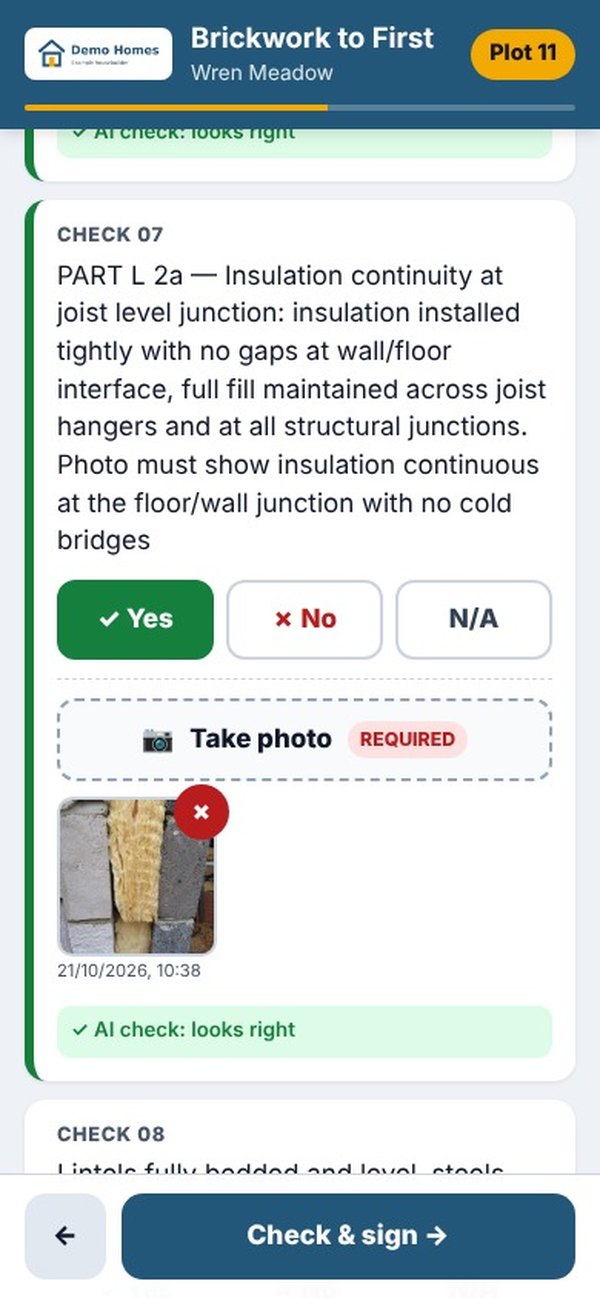
Where a check needs a photo, they take it there and then. Each photo is stamped with the time and location and checked by AI, so a poor one is retaken on the spot.
04
The trade signs with their finger. No signal? It saves on the phone and sends when the signal comes back.
05
The site manager is emailed straight away, with a link to every answer and photo. Approve it, or return the check that needs putting right.
06
The QS approves the work for payment with the photos in front of them, and it goes into that month's payment export.
07
Every stage becomes a signed PDF with its own QR code. Scan it to check it against the live system.
08
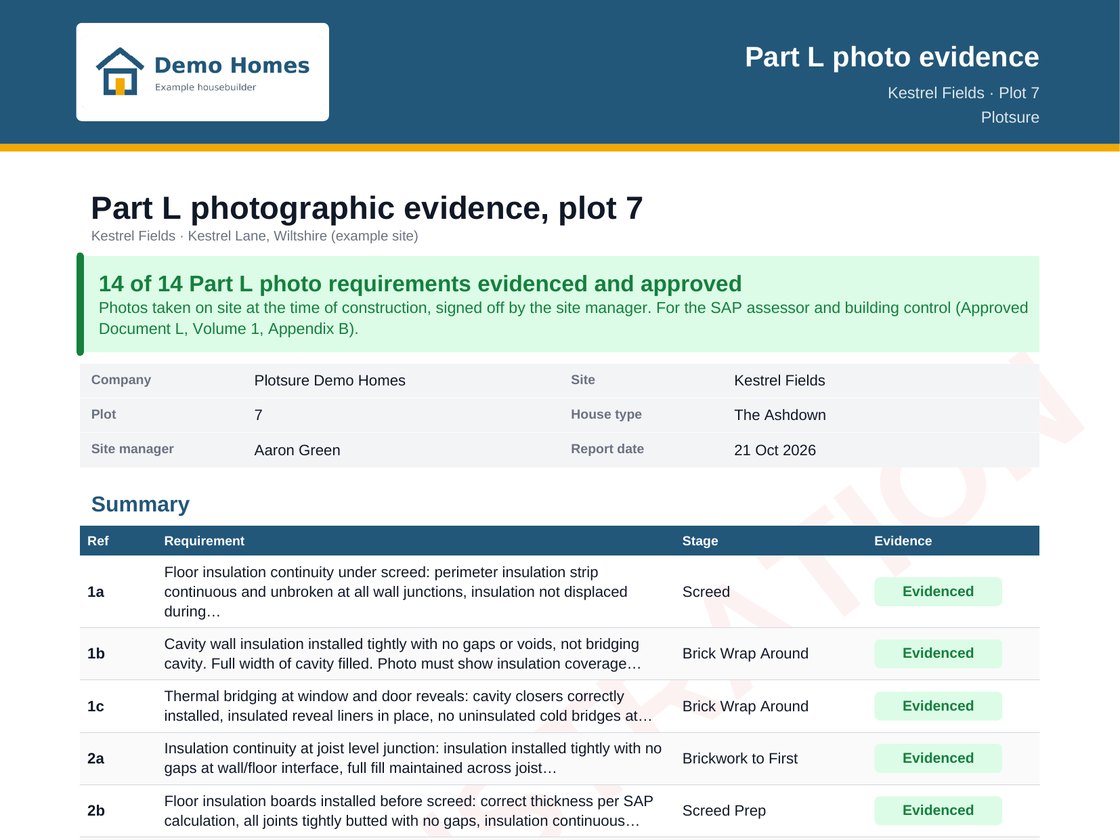
Every Part L photo is filed against its requirement, plot by plot, ready for your energy assessor and building control.
Try it yourself
This is the trade's side, as it works on site, cut down to four checks. Answer them, take the Part L photo, sign, and see the record your site manager, QS and building control get. It takes about a minute.
Your time0:00
You signed off a stage in 0:00.
Your trades can do the same on every plot, with no app and no login.
See it on your own siteA demo on a made-up site. The site manager and QS approve it automatically here, and nothing you enter leaves your browser.
CHECK 01
Brickwork level, plumb and true to gauge
CHECK 04
Cavity trays in, with a 75mm turn-up at stop ends
CHECK 07
Part L 2a: insulation continuous at the joist level junction
CHECK 08
Lintels fully bedded and level
4 checks to answer
Part L 2a: show the insulation continuous at the floor and wall junction
Demo Brickwork Ltd, 4 of 4 checks done
Plot 11, Brickwork to First
Stage recordDemo Homes
Plotsure
Check 07, Part L 2aAI check: looks right
Genuine: matches the live record
Your numbers
Set the sliders to match your business. It's your estimate, not ours.
With Plotsure, the trade does each sign-off on site, with the photos, and it files itself against the plot. Your site manager just reviews and approves.
Talk it through with usYour energy assessor and building control need photo evidence for every new home. Plotsure collects it on site, at the moment the work is done, and files it against the plot.
2022June
Part L photo evidence. Every new home in England needs its own photos of key details, such as insulation and airtightness, taken before the work is covered up.
202724 March
The Future Homes Standard applies to new homes submitted from 24 March 2027, . The bar on energy performance goes up again, and so does the value of proof.
Nothing for trades to install.
Trades scan a QR code with the phone they already carry. No app store, no account, no password.
Approved, awaiting or held.
Every stage on every plot carries its payment status, so you can see at a glance what has been approved, what is waiting and what is held.
No more photo hunts at completion.
The pack fills itself in as the plot is built, one signed-off stage at a time.
Site managers, quantity surveyors and admins sign in at plotsure.uk/pd/portal/login with the email their company set up for them. Forgotten your password? Use the link on the sign-in page and we'll email you a new one. Trades never need to sign in.
No. They scan the QR code on the plot with their phone's camera and the form opens. There's no app to download and no login.
The form keeps working. A sign-off saves on the phone and sends itself when the signal comes back.
Yes. Change any check, photo rule or test limit in the checklist editor to match your drawings and standards. Records already signed keep the wording they were signed against.
Each Part L check in your checklists needs a photo, taken before the work is covered up. It's filed against its requirement on the plot, so the pack fills itself in as stages are signed off. Download it as a PDF for your energy assessor and building control.
The site manager is emailed the moment a stage is signed off, with a link to every answer and photo. They approve it, or return the check that needs putting right. The QS then approves it for payment.
Every stage becomes a signed PDF with its own QR code. Scan it to check it against the live system. Air tests and other readings are checked against their limits, so a fail can't be sent as a pass.
Yes. Drainage, roads, public open space and SANG get their own QR codes and checklists, through to adoption and handover.
Only the people you add, as an admin, site manager, quantity surveyor or viewer. Each company's records are kept apart from every other company's, and stored in London. See our privacy notice.
Yes, whenever you want. Download a spreadsheet of every record with links to its photos, every signed PDF, and a monthly payment spreadsheet for your QS.
Add a site, import your plots from a spreadsheet, print the QR sheet and stick the codes up on site. Book a demo and we'll set it up with you.
Book a demo and we'll talk pricing through with you.
A live demo takes 20 minutes. Bring a site manager and your QS.
Prefer email? [email protected]